Map a competency to a lesson or KPI
-
Go to eLearning Product that provides hard and soft skills training, applicable for the entire employee life cycle (before, during, and after the hiring process), and includes training assessment and design tools.. Under Competencies, select Mappings.
The left pane refreshes to show the list of competencies under Competency Name.
-
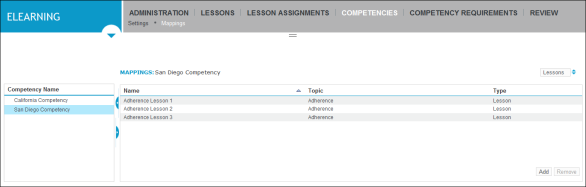
From the Competency Name list, select the competency you want to map to a lesson or KPI.
The right pane refreshes, showing the selector in the upper right for the available competency calculation sources (Lessons or KPIs tabs).
-
To map the competency, select one of the choice in the selector in the upper right on the Mapping tab as follows:
-
To map the competency to one or more lessons or lesson blocks, choose Lessons, and then click Add .
The right pane refreshes to show the Lesson Mappings pane, with a list of lesson and lesson block names and their adjacent check boxes.
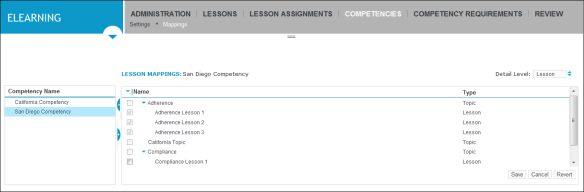
Select the check box next to the lessons and lesson blocks to which you want to map the competency, and then click Save.
-